
Frieren Desk
chat with her, she casts the spells
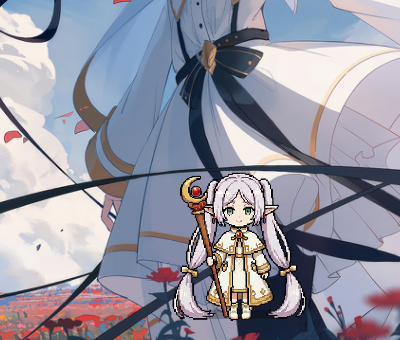
A chibi Frieren lives on your desktop. Click her to chat with opencode: she reads files, edits code and runs commands, then reacts to what happens (thinking, casting, success, error, sleep).
curl -fsSL https://raw.githubusercontent.com/jd-apprentice/frieren-desk/main/install.sh | bash

How it works
Every message you send runs through opencode with the Frieren agent:
opencode run --format json --model opencode-go/deepseek-v4.1-flash \
  --agent frieren --session "<id>" "<message>"
The shell parses the JSON events (assistant text, tool calls, errors) and picks a pose for each moment. The conversation keeps context across restarts: the opencode session id is stored locally and messages live in a SQLite database.
Chat bubble
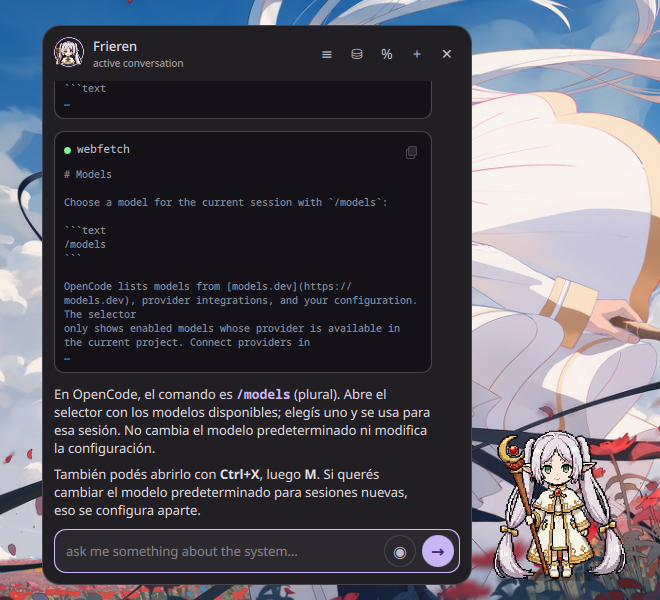
Click the pet to open it. Markdown replies, selectable text, copy buttons on replies and code blocks, slash-command completion.
Real tray icon
A native StatusNotifier helper (tray.c, compiled by the installer) with a
settings menu. About 7 MB RSS, zero idle CPU.
Wandering pet
She breathes, blinks, bobs, leans toward your cursor and wanders on her own. Drop her on the top bar or bottom dock to minimize her.
Voice replies
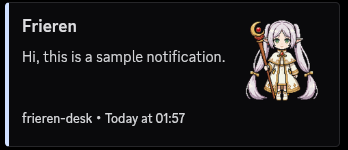
Optional spoken answers through Piper, espeak-ng or spd-say, plus UI sounds and desktop notifications for long turns. Opt in to mirror them to Discord as embeds (see below).
Moods and poses
QML cross-fades between hand-drawn poses. Extra animation layers add breathing,
thought dots, a staff glow, casting particles, a victory jump, an error shake
and floating zs while she sleeps.
| Pose | When it shows | Chat line |
|---|---|---|
idle |
waiting, or wandering around | ask me something |
think |
opencode is reasoning | thinking... |
cast |
a tool is running | casting a spell... |
reading |
a read-like tool is running | reading... |
happy |
a task finished, or she wakes up | done |
celebrate |
third clean turn in a row | amazing! |
sad |
an error came back | oops... |
sleep |
idle for a while with sleep enabled | zzz... |

In action
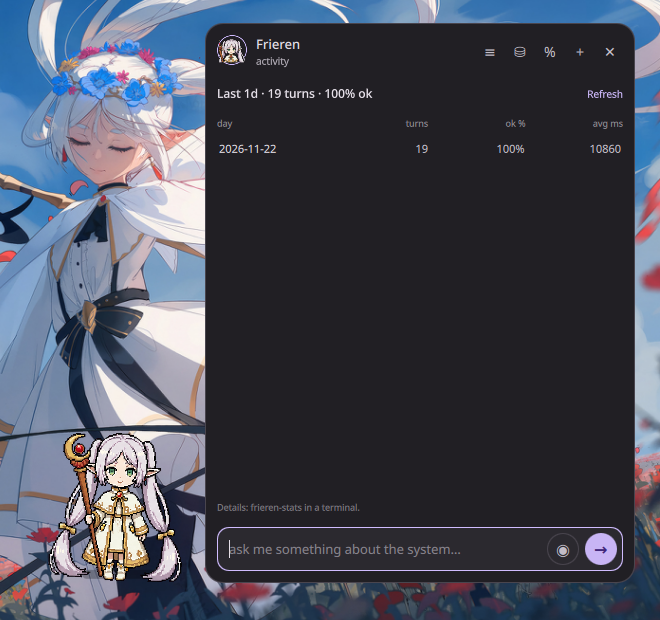
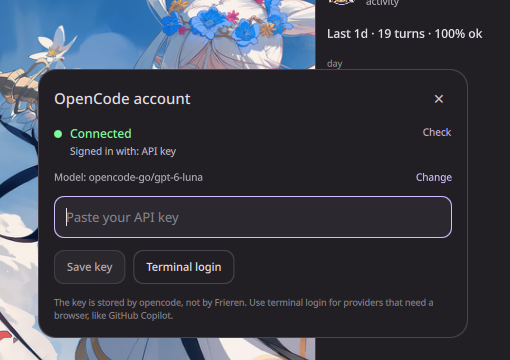
Real screenshots from a running session.

Discord notifications
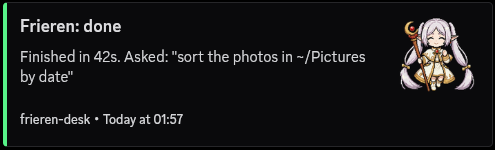
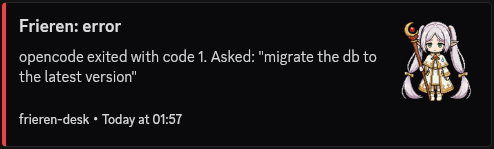
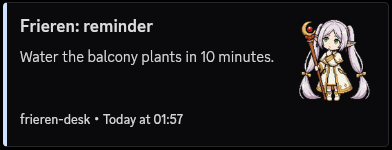
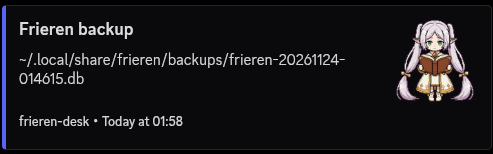
Long turns, errors and backups also land in a Discord channel, as embeds
with Frieren art per event. Opt-in: save the webhook URL to
~/.config/frieren/discord-webhook.env (mode 600), then /discord on and
/discord test. The URL never appears in logs or process lists.

Summoning ritual (install)
Requirements: Quickshell 0.3+, opencode
v2, Hyprland, Qt 6, sqlite3, and a C toolchain with the gio headers
(on Arch: base-devel plus glib2).
curl -fsSL https://raw.githubusercontent.com/jd-apprentice/frieren-desk/main/install.sh | bash
Then open Frieren from the app menu, or run ~/.local/bin/frieren. The
opencode account is configured from the tray menu after install.
Hook it into the compositor. For DankMaterialShell add to
~/.config/hypr/dms/binds-user.lua:
hl.bind("SUPER + SHIFT + R", hl.dsp.exec_cmd("qs -c frieren ipc call frieren toggle"))
Otherwise copy hypr/frieren.lua from the repo to ~/.config/hypr/ and add
require("frieren") at the end of the Hyprland lua config. For autostart:
hl.on("hyprland.start", function() hl.exec_cmd("qs -c frieren -n") end)
Verify the install:
~/.local/bin/frieren
qs -c frieren ipc call frieren ping
First login is manual. Open the tray icon and choose
Setup account: paste an API key (sent over stdin to
opencode auth import, never written to a file) or use Terminal
login for OAuth flows. Check with opencode auth list --format json.
An OPENCODE_API_KEY in the environment also counts as connected.
Controls and chat
| Gesture | Effect |
|---|---|
| Click pet | open or close the chat |
| Double-click | fresh conversation |
| Right-click pet | open the chat on the history list |
| Drag pet | move her (position is saved) |
| Drop on top bar or dock | minimize to the tray |
SUPER + SHIFT + R |
open the chat from anywhere |
Esc or x |
close the chat |
+ |
new conversation |
■ |
stop the current run |
The chat renders Markdown (headings, lists, quotes, inline code, fenced blocks,
links). The history view (= icon) lists past conversations with instant title
search plus full-text search over message bodies from 2 characters.
Slash commands: /new, /retry, /export, /stats, /model provider/name,
/agent name, /sound on|off, /voice on|off|id, /volume 10-150,
/discord on|off|test, /help.
Type / for suggestions, @ for @window (appends the focused Hyprland
window). Drag files or screenshots into the chat to attach their paths.
◉ next to the send button dictates from the mic.
Remote control (IPC)
qs -c frieren ipc call frieren toggle
qs -c frieren ipc call frieren ask "how much disk is free on /"
qs -c frieren ipc call frieren fresh
qs -c frieren ipc call frieren stop
qs -c frieren ipc call frieren stats
qs -c frieren ipc call frieren backup
qs -c frieren ipc call frieren say "done, starting from scratch"
qs -c frieren ipc call frieren scale 1.15
qs -c frieren ipc call frieren sleep toggle
qs -c frieren ipc call frieren ping
qs -c frieren ipc call frieren quit

Tray menu
Show / Hide petOpen / Close chatStop(enabled while opencode is busy)Setup accountwhen not connected,Accountwhen connectedSettingsthenPet(Wander,Sleep when idle,Blink,Size,Reset position),Sound & voice(Sound,Voice replies,Voiceradios,Volume),Data(Activity log,Backup database,Discord alerts)About(project, author, happy Frieren, repository, MIT license)Quit
Artifacts (helper CLIs)
Installed by install.sh into ~/.local/bin:
| Command | What it does |
|---|---|
frieren |
open the pet / toggle the chat |
frieren-stats [days] [--json] |
activity dashboard from frieren.db |
frieren-ask |
quick prompt via rofi, wofi, fuzzel, bemenu or dmenu |
frieren-shot |
screenshot (grim + slurp) straight into the chat |
frieren-backup [backup\|restore latest\|list] |
hot-copy frieren.db into backups (prunes to 10) |
frieren-voice [list\|download <id>\|use <id>] |
voice catalog (en-jenny, es-davefx, es-sharvard) |
frieren-weekly |
AI summary of the last 7 days via opencode |

Memory (history and activity log)
Both live in ~/.local/state/frieren/frieren.db (SQLite). History keeps the
last 60 conversations and up to 150 messages each; only conversations with at
least one question are stored. Every finished turn and tool call is also logged
to turns and tools tables, with a daily view for dashboards.
frieren-stats        # last 14 days, totals, top failures, slowest turns
frieren-stats 30     # last 30 days
frieren-stats --json # daily view as JSON
# success rate per day
sqlite3 ~/.local/state/frieren/frieren.db "select * from daily order by day desc limit 14;"

# slowest turns
sqlite3 ~/.local/state/frieren/frieren.db \
  "select prompt, duration_ms from turns order by duration_ms desc limit 10;"
Disable activity rows from tray Settings then Data then Activity log
(history keeps working). Raw events also append to events.jsonl, rotated past
about 5 MB.
Config file
~/.config/frieren/settings.json, created on the first change and watched
live. It wins over state.json, so hand-editing applies without reopening
the pet. Keys: model, agent, wander, sleep, blink, log, sound,
voice, voiceId, volume, discord, scale (0.7 to 1.4).
{
  "model": "opencode-go/deepseek-v4.1-flash",
  "agent": "frieren",
  "sound": true,
  "voice": false
}
Change the model from the account dialog (Change lists opencode models,
current provider first) or edit model in the agent markdown at
~/.config/opencode/agents/frieren.md together with modelName in
shell.qml. It must be one your account can pay for.

Wardings (safety)
The agent carries a denylist: sudo, doas,
su, rm -rf /, mkfs,
dd of=/dev/*, shutdown, reboot,
poweroff, piped shells and secret reads (~/.ssh,
~/.gnupg, ~/.aws, .env,
*.pem, auth.json). Secrets travel over stdin only,
never in argv, logs or state files.
Source and contributions
PRs welcome. Keep code and docs in English. See
CONTRIBUTING.md.
Full reference lives in
quickshell/frieren/README.md,
the interactive architecture diagram in docs/architecture.html.